Video Aspect Ratios Explained: 16:9, 9:16, 1:1 and 4:5
Why does a video look perfect on a computer monitor but appear cropped or surrounded by empty space on a phone?
The answer often involves aspect ratio.
Aspect ratio determines the proportional relationship between a video's width and height.
It affects composition, framing, editing decisions, and how comfortably viewers can watch content on different screens.
Understanding aspect ratios is essential for anyone creating videos for YouTube, social media, advertising, tutorials, or professional presentations.
1. What Is a Video Aspect Ratio?
An aspect ratio describes the relationship between the width and height of an image or video.
It is written as two numbers separated by a colon.
For example, 16:9 means that for every 16 units of width, the image has 9 units of height.
The numbers describe proportions rather than a specific resolution.
A 1920 × 1080 video and a 3840 × 2160 video both have a 16:9 aspect ratio.
The second contains more pixels, but their frame shapes are the same.
This distinction matters because changing resolution does not necessarily change aspect ratio.
2. The Four Common Aspect Ratios
| Aspect ratio | Example resolution | Shape | Common use | |---|---|---|---| | 16:9 | 1920 × 1080 | Horizontal widescreen | Standard YouTube videos, tutorials | | 9:16 | 1080 × 1920 | Vertical portrait | Short-form mobile video | | 1:1 | 1080 × 1080 | Square | Social feed posts | | 4:5 | 1080 × 1350 | Portrait | Portrait-oriented feed content |
These resolutions are examples, not universal upload requirements.
Different services may accept additional dimensions, aspect ratios, or resolutions.
3. Understanding 16:9 Video
The 16:9 format is a widely used widescreen standard.
It works particularly well for content that benefits from horizontal space.
Examples include:
- Long-form YouTube videos.
- Screen recordings.
- Educational presentations.
- Gaming footage.
- Interviews with multiple participants.
- Documentary-style videos.
A horizontal frame can display more information side by side.
For example, a software tutorial may need to show an entire application window.
A 16:9 composition provides room for menus, panels, and timelines without requiring extreme cropping.
However, horizontal footage can appear relatively small when displayed within a vertical mobile interface.
That does not make the format unsuitable. It simply means the viewing environment should influence your creative choices.
4. Understanding 9:16 Video
The 9:16 aspect ratio is a tall vertical format.
It is commonly associated with mobile-first video experiences.
A typical example is 1080 × 1920 pixels.
Vertical video works well for subjects that can be framed within a narrow composition.
Examples include a person speaking directly to the camera, close-up demonstrations, and footage captured while holding a phone upright.
Its main advantage is that it uses the available height of a portrait-oriented phone screen effectively.
The main limitation is reduced horizontal space.
If the original footage contains several people or important objects spread across the frame, converting it to 9:16 may require significant reframing.
5. Understanding 1:1 Video
A 1:1 aspect ratio creates a square frame.
Its width and height are equal.
For example, 1080 × 1080 pixels is a square resolution.
Square video can be useful in feed-based layouts and designs that benefit from a centered composition.
It is also relatively easy to adapt certain horizontal and vertical shots into a square when the important subject remains near the center.
However, square framing can remove important visual information from either side of a widescreen recording.
Do not assume that a centered crop will always preserve the meaning of the original scene.
6. Understanding 4:5 Video
The 4:5 format is a portrait-oriented rectangle that is less tall than 9:16.
A common example is 1080 × 1350 pixels.
This format can work well for feed content where additional vertical space is useful but a full-screen portrait video is unnecessary.
It can provide more room for a person, product, or graphic than a square composition.
As with other aspect ratios, platform support and display behavior should be verified before publishing.
7. What Happens When You Change Aspect Ratio?
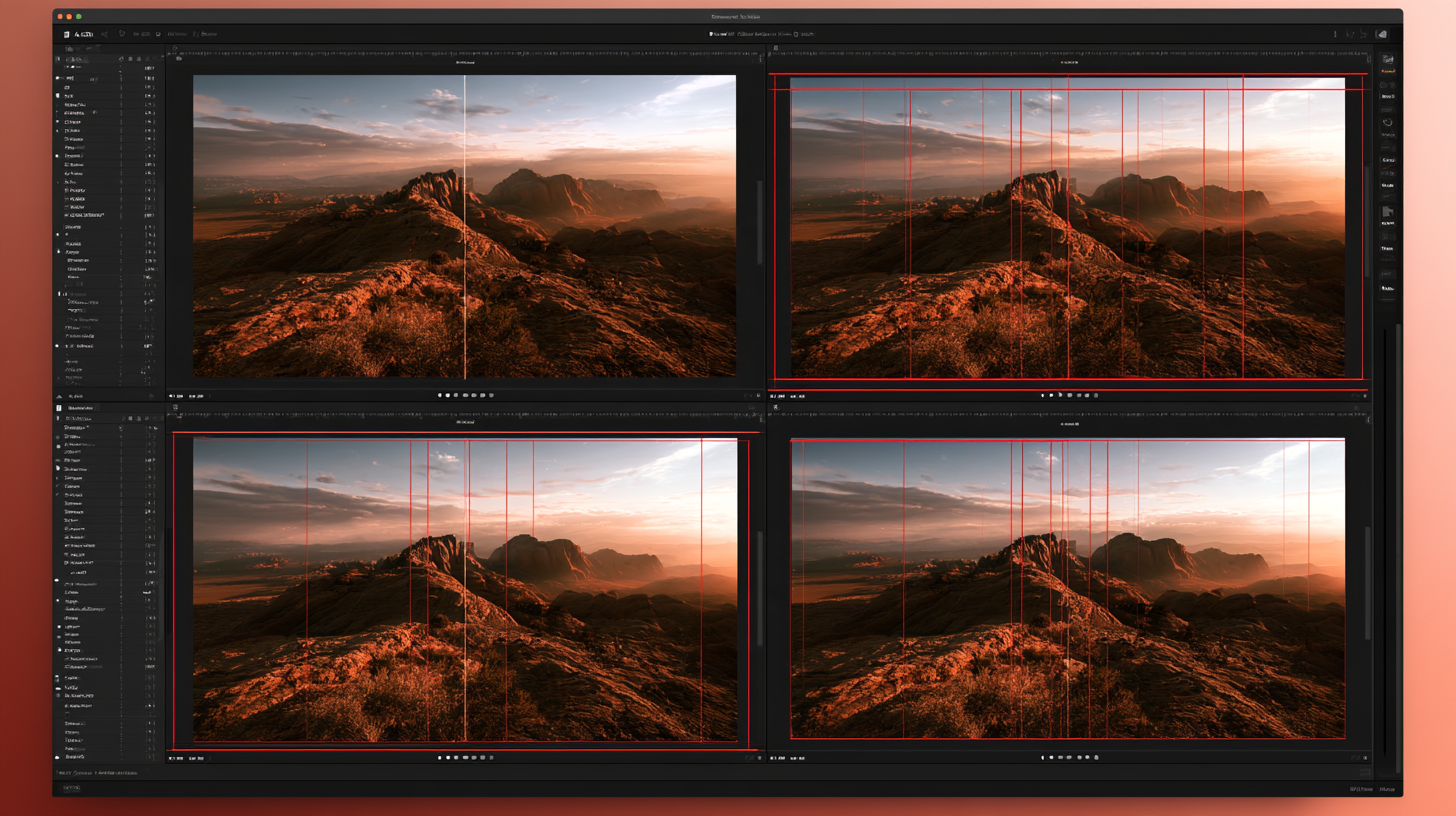
Changing aspect ratio does not automatically change the composition intelligently.
Editors generally use one or more of the following approaches.
Cropping
Cropping removes parts of the original image to fill the new frame.
This can create a clean result, but important content may disappear.
Letterboxing or Pillarboxing
The complete image is preserved, with empty or designed space around it.
This avoids cropping but may make the video appear smaller.
Reframing
The editor changes which part of the original image remains visible.
Reframing may be performed manually or with automated subject-tracking features.
Background Fill
Some creators place a copy of the original footage behind the main image, enlarge it, and blur it to fill unused space.
This preserves the complete foreground composition while occupying the available frame.
Each approach serves a different purpose.
8. How Much Footage Is Lost When Converting 16:9 to 9:16?
Consider a 1920 × 1080 horizontal video.
If you preserve the full 1080-pixel height and create a centered 9:16 crop, the resulting crop is 607.5 pixels wide in mathematical terms.
In practice, an editor chooses an appropriate whole-pixel width.
That means only about 31.6% of the original frame width remains visible.
Approximately 68.4% of the horizontal width is excluded.
This illustrates why converting widescreen footage to vertical video can dramatically change the composition.
It does not mean that 68.4% of the video's information is always lost. The importance of the removed areas depends on what appears in the scene.
If the subject is centered, the crop may work well.
If important action occurs near the edges, manual reframing becomes necessary.
9. How to Choose the Right Aspect Ratio Before Recording
Whenever possible, decide where the video will be published before filming.
If you are producing a horizontal tutorial, record with enough space to show the full screen or demonstration.
If you are recording a vertical talking-head video, position the subject and background for a tall frame.
If you plan to create both horizontal and vertical versions, consider keeping the main subject near the center while leaving room for reframing.
Recording at a higher resolution may provide more flexibility when cropping, although it does not recover areas outside the original frame.
10. Which Editing Software Can Change Aspect Ratios?
Most established video editors allow users to work with different frame dimensions.
CapCut provides aspect-ratio controls and automated reframing features in supported versions.
DaVinci Resolve supports custom timeline resolutions and manual framing adjustments.
Adobe Premiere provides sequence settings, scaling, and reframing tools for adapting video to different layouts.
Final Cut Pro supports multiple project formats and tools for converting compositions between horizontal, square, and vertical presentations.
The exact workflow varies by application and version.
11. Common Aspect Ratio Mistakes
Stretching the Image
Changing the width and height independently can distort people and objects.
Preserve the original proportions unless deliberate distortion is part of the creative design.
Cropping Without Reviewing the Full Clip
A subject may move out of frame later in the recording.
Watch the complete sequence after reframing.
Placing Captions Too Close to the Edge
Text may be obscured by interface elements or become difficult to read on smaller screens.
Leave appropriate margins and preview the content in its intended viewing environment.
Assuming Every Platform Uses One Format
Platforms can support multiple formats, and specifications may change.
Confirm the relevant requirements before exporting.
Confusing Resolution With Aspect Ratio
1080p describes a resolution convention, not one unique frame shape.
A vertical video can also have a width of 1080 pixels while using a different height.
Frequently Asked Questions
Is 16:9 better than 9:16?
Neither is universally better. The appropriate format depends on the viewing environment and content.
Can I convert a horizontal video into vertical video?
Yes, but you may need cropping, reframing, or a designed background to preserve important visual information.
Is 1080 × 1920 the same as 1920 × 1080?
No. They contain the same number of pixels but have different orientations and aspect ratios.
Does changing aspect ratio reduce quality?
Cropping can reduce the available source resolution for the retained area. Rescaling and re-encoding may also affect the finished image.
Can I publish square videos on social media?
Many social platforms support square video in certain placements, but supported formats vary by service and publishing option.
Final Thoughts
Aspect ratio is not merely an export setting.
It is a fundamental part of visual composition.
A 16:9 frame offers horizontal space, a 9:16 frame supports mobile-first portrait viewing, a 1:1 frame provides a balanced square composition, and a 4:5 frame offers a moderately tall portrait layout.
Understanding these differences helps creators plan recordings, avoid awkward crops, and prepare videos that communicate clearly in their intended format.